CloudFiles Document Management Adds Minimum-Access Setup for Salesforce and SharePoint
Release 5.294 completes a minimum-access path: a locked-down integration user in Salesforce and a site-limited

Press Release Disclaimer: This is a press release distributed through the XPR Media network. It has not been independently verified by our newsroom.
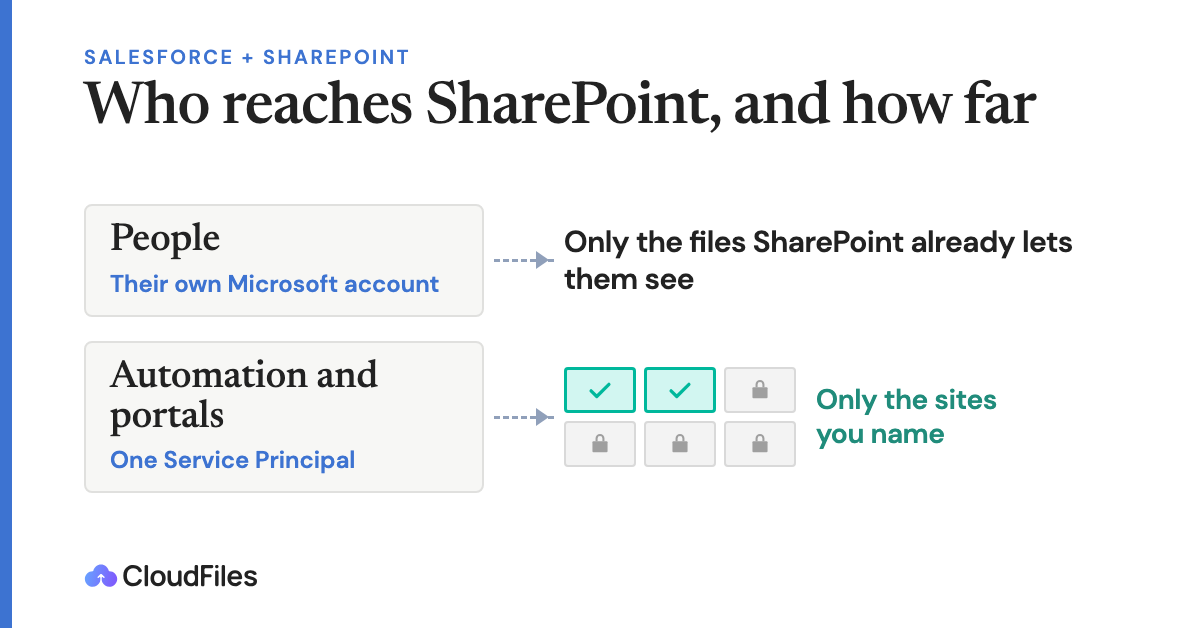

Release 5.294 completes a minimum-access path: a locked-down integration user in Salesforce and a site-limited application identity in Microsoft 365.
FREMONT, CA, UNITED STATES, October 29, 2026 /EINPresswire.com/ — CloudFiles, a document management app for Salesforce available on Salesforce AppExchange, has released version 5.294 of its Salesforce package. The release lets a minimum-access Salesforce integration user complete setup steps that previously needed extra permissions, and limits the CloudFiles API key and admin settings to Salesforce administrators. CloudFiles connects SharePoint document libraries to Salesforce records. Files stay in the customer’s own SharePoint and are never re-hosted.
For day-to-day work, each user signs in with their own Microsoft account. They see exactly the files SharePoint already lets them see, and nothing more.
Some work cannot run as an individual: folders built automatically when a record is created, workflows that file documents on the right record, and uploads from customers and partners in Salesforce Experience Cloud portals, who have no Microsoft account. That work runs under one integration identity.
The usual choice for that identity is a dedicated Microsoft account given access only to the sites it needs. It works, but it remains a user account. It holds a password that must be rotated, it breaks when multi-factor authentication is enforced, it consumes a licence, it appears in SharePoint logs as a person, and it must survive every staff change.
For teams that need a tighter lock-down, CloudFiles supports a Service Principal, an application identity registered in Microsoft Entra, Microsoft’s identity service, that belongs to no employee. It has no password to rotate and no licence, and it keeps running when staff leave.
Administrators then limit that identity to named SharePoint sites with Sites.Selected, Microsoft’s permission for restricting an application to specific sites, and remove the broader tenant-wide permissions. The identity can reach only the sites the business has chosen. The exact permissions to keep and to remove are published in the CloudFiles SharePoint permissions reference.
With release 5.294, both sides of the connection now run on minimum access.
CloudFiles is independently audited for SOC 2 Type II, certified to ISO 27001:2022, ISO 27017:2026 and ISO 27018:2025, and compliant with HIPAA and GDPR.
“Most teams have already decided in SharePoint who can see which files. CloudFiles should respect that decision, not replace it,” said Vishesh Singhal, CEO of CloudFiles. “A minimum-access setup should not depend on a shared account that someone has to look after.”
About CloudFiles
CloudFiles builds document management, document generation and document AI apps for Salesforce and HubSpot, connecting records to SharePoint, OneDrive, Google Drive, Box, Dropbox, AWS S3 and Azure Blob. Website: www.cloudfiles.io
CloudFiles Marketing
CloudFiles
+1 510-457-0105
marketing@cloudfiles.io
Visit us on social media:
LinkedIn
Instagram
Facebook
YouTube
X
Other
CloudFiles Demo video | Document automation for Salesforce
Legal Disclaimer:
EIN Presswire provides this news content “as is” without warranty of any kind. We do not accept any responsibility or liability
for the accuracy, content, images, videos, licenses, completeness, legality, or reliability of the information contained in this
article. If you have any complaints or copyright issues related to this article, kindly contact the author above.

Media gallery